What Setting Should Your Spreader Be On for Fertilizer?
The short answer: most broadcast spreaders should be set between 3 and 5 for granular fertilizers, while drop spreaders typically use settings between 5 and 7. However, the exact number depends on your specific spreader model, the fertilizer product, and your lawn's square footage. Always start by checking the fertilizer bag — manufacturers print recommended spreader settings directly on the packaging, often organized by spreader type.
If your bag doesn't list a setting for your spreader, a safe starting point is to begin at a mid-range setting (e.g., 4 out of 10), apply to a test strip, and assess coverage before proceeding with the full lawn.
Why Spreader Settings Matter More Than You Think
Getting the spreader setting wrong is one of the most common causes of lawn damage. Too high a setting deposits excess fertilizer, leading to nitrogen burn — yellow or brown streaks across your grass. Too low a setting results in uneven, patchy growth.
- Over-application: Can chemically burn grass within 24–48 hours and may leach harmful levels of phosphorus and nitrogen into groundwater.
- Under-application: Wastes time and produces uneven green-up, particularly visible in high-traffic lawn areas.
- Inconsistent overlap: Missing strips or double-applying due to poor walking pattern creates visible bands.
Dialing in the correct setting on your lawn fertilizer spreader ensures uniform coverage, protects your grass, and maximizes the efficiency of every bag of product.
Broadcast vs. Drop Spreaders: Different Settings, Different Logic
There are two main spreader types used for lawn fertilization, and they behave very differently:
Broadcast (Rotary) Spreaders
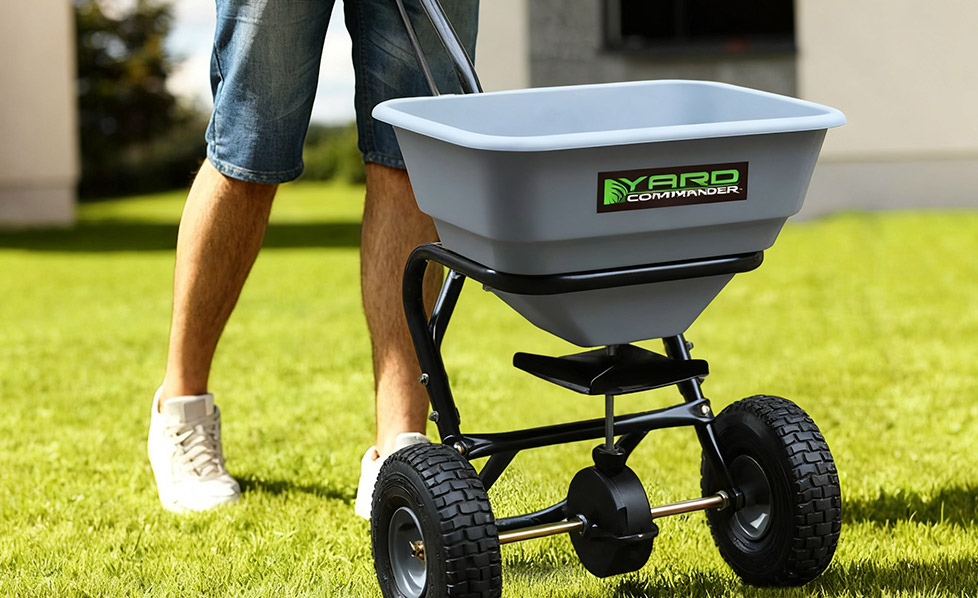
These fling granules in a wide arc — typically covering 8 to 12 feet in width per pass. They're faster for large lawns but require careful overlap management to avoid stripes. Settings tend to run lower because material is spread over a wider area.
- Typical fertilizer setting range: 3–5 on a 1–10 scale
- Best for: Open, flat lawns over 5,000 sq ft
- Overlap recommendation: Walk in parallel rows overlapping by about 1–2 feet
Drop Spreaders
These release granules directly below the hopper in a precise band equal to the spreader's width (usually 18–24 inches). They require higher dial settings to achieve the same application rate per square foot.
- Typical fertilizer setting range: 5–7 on a 1–10 scale
- Best for: Small lawns, precise edges, or areas near flower beds
- Overlap recommendation: Align the spreader wheels to the edge of the previous pass to avoid gaps
General Setting Reference by Fertilizer Type
The table below provides general starting-point settings based on common fertilizer categories. Always confirm with your product's label before use.
| Fertilizer Type |
Broadcast Spreader Setting |
Drop Spreader Setting |
Notes |
| Granular All-Purpose (e.g., 10-10-10) |
3.5 – 4.5 |
5 – 6 |
Standard lawn use |
| Slow-Release Nitrogen |
4 – 5 |
5.5 – 7 |
Larger granule size may need higher setting |
| Weed & Feed Combination |
3 – 4 |
4.5 – 6 |
Follow label closely — herbicide risk |
| Starter Fertilizer (High Phosphorus) |
3 – 4 |
5 – 6 |
Used during seeding or sodding |
| Winterizer (High Potassium) |
4 – 5 |
5.5 – 7 |
Fall application only |
How to Calibrate Your Spreader Before Each Use
Calibration is the only reliable way to verify your spreader is delivering the correct rate. Here's a simple method:
- Weigh a known amount of fertilizer (e.g., 5 lbs) and load it into the hopper.
- Set the dial to your target setting and apply over a measured area (e.g., a 1,000 sq ft test strip).
- Weigh the remaining fertilizer. Subtract from the starting weight to find how much was applied per 1,000 sq ft.
- Compare to the fertilizer bag's recommended rate (commonly 3–5 lbs per 1,000 sq ft).
- Adjust the dial up or down and repeat until the output matches the target rate.
Calibrate at the start of every season or when switching fertilizer products — granule size and density vary significantly between products, even at the same setting.
Factors That Affect the Ideal Spreader Setting
No single setting works for every situation. Keep these variables in mind:
- Granule size: Fine granules flow faster through the same opening than coarse ones. Larger granules may require a slightly higher setting.
- Walking speed: Slower walking = more granules per square foot. Maintain a consistent pace of roughly 3 mph for repeatability.
- Hopper fill level: A nearly empty hopper may reduce flow. Keep it at least one-quarter full during application.
- Humidity and moisture: Wet or clumped granules can clog the opening and reduce output even at a higher setting. Always use dry fertilizer.
- Spreader condition: Worn or corroded gate mechanisms may not open/close accurately. Inspect the gate and calibration wheel annually.
Best Practices for Applying Fertilizer Evenly
A correct setting is only part of the equation. Application technique matters equally:
- Apply in two half-rate passes at perpendicular angles (north-south, then east-west) for the most uniform coverage.
- Open the hopper only when moving — starting with the gate open while stationary creates hot spots.
- Close the gate before turning at the end of each row to avoid over-application at corners.
- Apply to dry grass, then water in thoroughly within 24 hours unless using a slow-release product that specifies otherwise.
- Avoid fertilizing before heavy rain — runoff can carry nutrients into storm drains and waterways.
Seasonal Setting Adjustments
Your spreader setting may need to shift with the season based on how much fertilizer your lawn needs at each growth stage:
| Season |
Lawn Need |
Recommended Approach |
| Early Spring |
Light feeding to stimulate growth |
Use lower setting; avoid heavy nitrogen |
| Late Spring |
Active growth support |
Mid-range setting; balanced NPK product |
| Summer |
Stress protection; minimal feeding |
Low setting or skip; risk of burn is highest |
| Early Fall |
Recovery and root development |
Mid-to-high setting; slow-release nitrogen |
| Late Fall |
Winter prep (Winterizer) |
Higher setting; high-potassium formula |
FAQ
Q1: What happens if I use too high a spreader setting?
Excess fertilizer deposits too much nitrogen on the grass blades, causing chemical burn — visible as yellow or brown patches within 1–3 days. Flush the area with water immediately if you suspect over-application.
Q2: Can I use the same spreader setting for different fertilizers?
No. Granule size, density, and coating vary between products. Always check the label for the recommended setting or recalibrate before switching products.
Q3: My spreader doesn't have a number dial — how do I set it?
Some spreaders use letter-based or notch-based gates. Refer to the owner's manual for a conversion guide, or use the calibration method described above to find the right output rate empirically.
Q4: How often should I calibrate my spreader?
At the start of each season, and whenever you change fertilizer products. Worn components or changes in granule size can shift output even at the same dial position.
Q5: Should I water my lawn after applying granular fertilizer?
Yes — for most granular fertilizers, watering within 24 hours helps dissolve the granules and carry nutrients into the soil. Slow-release coated products may specify different instructions on the label.
Q6: What's the safest setting to start with if I'm unsure?
Begin at 50% of the maximum setting and perform a calibration test on a small area. Adjust up only after confirming the output rate matches the bag's recommended application amount.

 LANGUAGE
 English
 Deutsch
 Español
 Français
 русский